
“Review: Shardana Antivirus Rescue Disk Utility” plus 2 more |

- Review: Shardana Antivirus Rescue Disk Utility
- Average antivirus protection rate is just 36 percent
- Antivirus 2011: Digital Defenders
| Review: Shardana Antivirus Rescue Disk Utility Posted: 08 Mar 2011 08:42 AM PST March 8, 2011, 8:15 AM PST Takeaway: With the Shardana Antivirus Rescue Disk Utility, system administrators can consolidate their toolkit on to one disc or flash drive, increasing productivity and reducing headaches. Most administrators carry around their tools in either flash drive or CD format. Those tools tend to be rescue CDs, antivirus removal disks, root kit removers, partition tools, and much more. To accommodate all of these tools, most administrators wind up with a tool kit containing 5-10 disks. But what if you could have all of those tools on a single, multi-boot CD? That would be the ideal solution for the administrator that is always on the go, handling multiple challenges. Well, this is not a pipe dream. A multi-boot rescue disk is very possible (and actually easy to create) with the help of Shardana Antivirus Rescue Disk Utility (SARDU).  SARDU SpecificationsSupported operating system: In order to use SARDU to create your bootable disk you have to use it the Windows operating system. This will work on XP, Vista, and 7.Supports numerous administrative tools (to find the complete list go the SARDU website and click the links for: Who's it for?SARDU has a limited audience - system administrators. The average user would get nothing out of this tool. The administrator, however, gains a huge advantage over any administrator not taking advantage of such a tool. With the ability to create a single CD/DVD/USB that contains multiple rescue tools, your job is made quite a bit more efficient. So any administrator looking to keep a nearly complete toolkit on a single disk would happily achieve that goal using SARDU. What problem does solve?Do you carry around numerous disks with various types of tools? Wouldn't you rather be able to carry around a collection on a single bootable disk? That is exactly what SARDU does - it allows the administrator to keep a collection of bootable images on a single disk (or USB device). This makes for some very efficient system administration. Instead of having to keep multiple rescue disks with you, you only have one.Standout features
What's wrong?There was only one problem I encountered with SARDU and that was not all of the listed rescue tool ISOs work with the builder. This could be caused from either an out of date ISO or a too new release of an ISO. But this is not across the board. The ISOs I had problems with were Puppy Linux, Bitdefender, and Damn Small Linux. CompetitorsBottom line for businessAs an administrator your job needs to be as efficient as possible. The biggest hurdle to that job is having the right tools. And having the right tools within your reach at all times makes your job infinitely easier. Having the ability to create a veritable "Swiss Army Knife" rescue CD is one of the best things an administrator can do for themselves. Although not perfect, SARDU does make the process of creating a multi-boot rescue CD as simple as possible from within the Windows operating system. This multi-boot CD can remove viruses, rootkits, manage partitions, clone, and do plenty of other tasks. User ratingHave you encountered or used Shardana Antivirus Rescue Disk Utility? If so, what do you think? Rate your experience and compare the results to what other TechRepublic members think. Give your own personal review in the TechRepublic Community Forums or let us know if you think we left anything out in our review.
How would you rate the Shardana Antivirus Rescue Disk Utility?This entry passed through the Full-Text RSS service — if this is your content and you're reading it on someone else's site, please read our FAQ page at fivefilters.org/content-only/faq.php |
| Average antivirus protection rate is just 36 percent Posted: 09 Mar 2011 01:38 AM PST A new round of antivirus testing found some products fail to detect malware that tries to infect a computer via a different attack vector, such as through a local network fileshare or a USB drive. The tests, conducted by NSS Labs, sought to find out how effective security products are at detecting malware from various attack vectors. Malware can be delivered to a computer via rigged websites, email attachments and USB flash drives, among other ways. Although drive-by downloads remain the most common attack vector, about 15 percent of attacks are delivered via email with a malicious attachments, such as a PDF document. Many security products allow users to download all of their email to their inbox by default and not scan it, even if it contains malware. "Surprisingly, many products tested did not remove malware from the inbox by default," according to the report, titled "Socially-engineered Malware Via Multiple Attack Vectors." Of the 10 products tested, the average protection rate was just 36 percent. NSS Labs said that if a company runs a centralized, server-based security product that is integrated with the e-mail servers, such as Microsoft's Exchange or IBM's Lotus Notes, the malware may be removed before it reaches an end user. But NSS Labs did find that those products that did not scan email before it arrived in an inbox would scan it if the user decided to save the attachment. That improved the average protection rate, which measured 74 percent, NSS Labs said. Another possible infection vector is file servers, commonly used in organisations to allow access to documents among users. But those files servers can become repositories for malware, allowing bad programs to proliferate among a high number of users. "While file servers should have their own anti-malware scanning, this often is not the case, and users must rely on local anti-malware security products to detect the downloaded files," the report said. About 70 percent of the malware was caught by the 10 products when downloaded from a file server, NSS Labs found. The strongest aspect of most endpoint antivirus products is their ability to block malware as it is executed and quarantine it. NSS Labs found that even if malware did make it on a PC, most products performed well at containing it. "Every vendor product, with the exception of Panda, blocked more malware during execution than by analysing the entry vectors," according to NSS Labs. "Trend Micro, McAfee and Sophos lead the group." But one attack vendor where most security companies are still lacking is detecting malicious payloads that are written only to memory, also known as single-use malware. Malware can, for example, masquerade as a permitted DLL (Dynamic Link Library), which skirts around DEP (Data Execution Prevention) security features in OSes. "This type of attack circumvents protections that lack behavioral analysis for these attacks," NSS Labs wrote. Only three products from Kaspersky, McAfee and Sophos have features to protect against that style of attack. This entry passed through the Full-Text RSS service — if this is your content and you're reading it on someone else's site, please read our FAQ page at fivefilters.org/content-only/faq.php |
| Antivirus 2011: Digital Defenders Posted: 15 Feb 2011 08:53 PM PST
So which paid antivirus program should you pick? That's where we come in. PCWorld teamed up with AV-Test (av-test.org), a respected security-software testing lab based in Germany. Together, we looked at 13 paid antivirus products from a number of leading security companies. We provide links here to full reviews of all 13, plus summaries of the reviews' key points. AV-Test's multifaceted testing procedure looks not only at how well an antivirus product can detect malware using traditional, largely signature-based methods (that is, employing a database of known malware types), but also at how well it can block brand-new, as-yet unknown malware. AV-Test also examines how well a security product can clean up after an infection in the event that a piece of malware does get through. This article focuses on paid stand-alone antivirus products, not free antivirus software or full-fledged security suites. Paid antivirus usually comes with better technical support options and more-comprehensive protection features than free programs. Suites go further still, offering features such as firewalls, parental controls, identity theft protection services, and more. See "Fee vs. Free: Free and Paid Antivirus Programs Compared" (some of our rankings have changed since that roundup appeared in November) and "Battle of the Security Superpowers," which lists our top security suite picks. Antivirus TrendsThis year, more and more antivirus packages come with tie-ins to so-called cloud services, in which fresh information on brand-new threats pushes down from the vendor's Web servers to your PC. This is a trend we began to see over the past year or two, but it has really taken off in this year's batch of products. Cloud-based detection takes many forms. In some products, such as Norton AntiVirus, it's used in reputation-based systems that pull together information on files and file types from users around the world to better detect suspicious files more quickly. Norton calls its system Quorum, but each company that offers a reputation-based process has its own name for the feature. In other products, such as Trend Micro Titanium Antivirus, the bulk of the malware detection actually takes place in the cloud--remotely, on the company's servers, rather than on your PC--with the intention of catching malware sooner and reducing the performance impact on your system. And the Winner Is...
It was a close race overall, but Symantec Norton AntiVirus 2011 took home the top prize with its excellent malware detection, blocking, and cleanup. BitDefender Antivirus Pro 2011 and G-Data AntiVirus 2011 round out the top three. Check out our top 10 paid antivirus programs of 2011, or click on the thumbnail image above. In order of ranking, here are the antivirus products we reviewed. (You can click on each accompanying thumbnail for a full-size image of the program's home or main interface screen.)
Pros: Has a good interface and strong malware detection. Cons: Scan speeds lag behind those of the top performers. Bottom line: Norton AntiVirus 2011 is a great choice thanks to its strong malware detection and smooth interface. Symantec Norton AntiVirus 2011 review
Pros: BitDefender is effective at cleaning up infections and at detecting known malware. Cons: It struggles at detecting new malware, and its interface may be confusing to some users. Bottom line: BitDefender Antivirus Pro 2011 does a good job at detecting malware and disinfecting PCs, but it had some difficulty in blocking brand-new malware. BitDefender Antivirus Pro 2011 review
Pros: Excellent malware detection and blocking; good at disinfecting PCs. Cons: Lacks some features common in other antivirus products; scan speeds are inconsistent. Bottom line: G-Data AntiVirus 2011 is a solid package, with strong malware detection, blocking, and removal capabilities.
Pros: Has strong malware detection and blocking, and a great interface. Cons: It slows PC startup times and file copying. Bottom line: Kaspersky Anti-Virus 2011 is very effective at blocking new malware attacks and is easy to use, but it slows system performance more than we'd like to see. Kaspersky Anti-virus 2011 review
Pros: Easy to use, with good malware blocking. Cons: Not ideal for advanced users. Bottom line: Trend Micro provides solid, simple protection against malware, but advanced users may find its lack of customizability frustrating. Trend Micro Titanium Antivirus Plus 2011 review
Pros: Has a good interface and excellent scan speeds. Cons: Its detection performance is only average. Bottom line: Avast Pro Antivirus 5 has a slick interface, but its middling malware detection performance prevents it from achieving a higher score.
Pros: Excellent at detecting known malware; good disinfection capabilities. Cons: Slow scan speeds. Bottom line: Panda Antivirus Pro 2011 is an effective defender, but it's one of the slower antivirus products we tested. Panda Antivirus Pro 2011 review
Pros: Has excellent malware detection and blocking, and excellent scan speeds. Cons: It's somewhat light in features, and its main interface needs refining. Bottom line: Avira AntiVir Personal does an great job at blocking and detecting malware, but its interface needs a makeover. Avira AntiVir Premium 2011 review
Pros: Great speed-test results. Cons: Malware detection and blocking is subpar, and the settings interface is poorly designed. Bottom line: Eset NOD32 Antivirus 4 is fast, but its malware detection capabilities are lacking.
Pros: Has fast scan speeds and little impact on PC performance. Cons: Struggles at blocking new malware, and the interface is rough in spots. Bottom line: GFI Vipre Antivirus is fast, but it's ineffective at blocking new malware. Checkpoint ZoneAlarm Antivirus
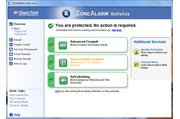
Cons: Running it generates a sizeable hit on PC performance, and it manages only middling detection of known malware. Bottom line: ZoneAlarm Antivirus put up reasonable scores in blocking new malware, but mediocre detection of known malware and speed issues drag its score down. Checkpoint ZoneAlarm Antivirus review Comodo Antivirus 2011 Advanced
Cons: Below-average detection of known malware; struggles at cleaning up infected PCs. Bottom line: Comodo Antivirus Advanced does an excellent job at blocking of known malware, but this can't offset its problems at detecting known malware and removing infections. Comodo Antivirus 2011 Advanced review Webroot Antivirus With Spysweeper 2011
Cons: Slow scan speeds and below-average malware detection and blocking. Bottom line: Although it's straightforward and easy to use, Webroot Antivirus With Spysweeper 2011 trails the competition at blocking and detecting malware, and it is hit hard by slow scan speeds. Webroot Antivirus With Spysweeper 2011 review This entry passed through the Full-Text RSS service — if this is your content and you're reading it on someone else's site, please read our FAQ page at fivefilters.org/content-only/faq.php |








| You are subscribed to email updates from antivirus - Yahoo! News Search Results To stop receiving these emails, you may unsubscribe now. | Email delivery powered by Google |
| Google Inc., 20 West Kinzie, Chicago IL USA 60610 | |

0 comments:
Post a Comment